HTTP Action tiles
Most of the things an agent device needs to do are the same shape: an HTTP request — a method, a URL, some headers, an auth scheme, and a JSON body. Kick a durable task into a queue, flip a Home Assistant scene, poke a webhook, nudge a self-hosted service. Rather than a bespoke button per service, Roost has one primitive: the HTTP action tile.
An HTTP action is a universal "does a thing" home tile. You define the request once in a builder; the tile lives among the home tiles — the same uniform tile as your apps, web apps, and shortcuts — and fires it on tap, telling you how it went right on the tile.
This realizes ADR-0004 and is formalized in SPEC-0002.
The on-tile state machine
An HTTP request is asynchronous and can fail — so a Toast that pops and vanishes is the wrong feedback:
it's off-tile, it can't show "in flight," and it's illegible from across a dim room. Roost puts the outcome
on the control itself. The tile is a small Canvas disc driven by a Handler tick through a state
machine:
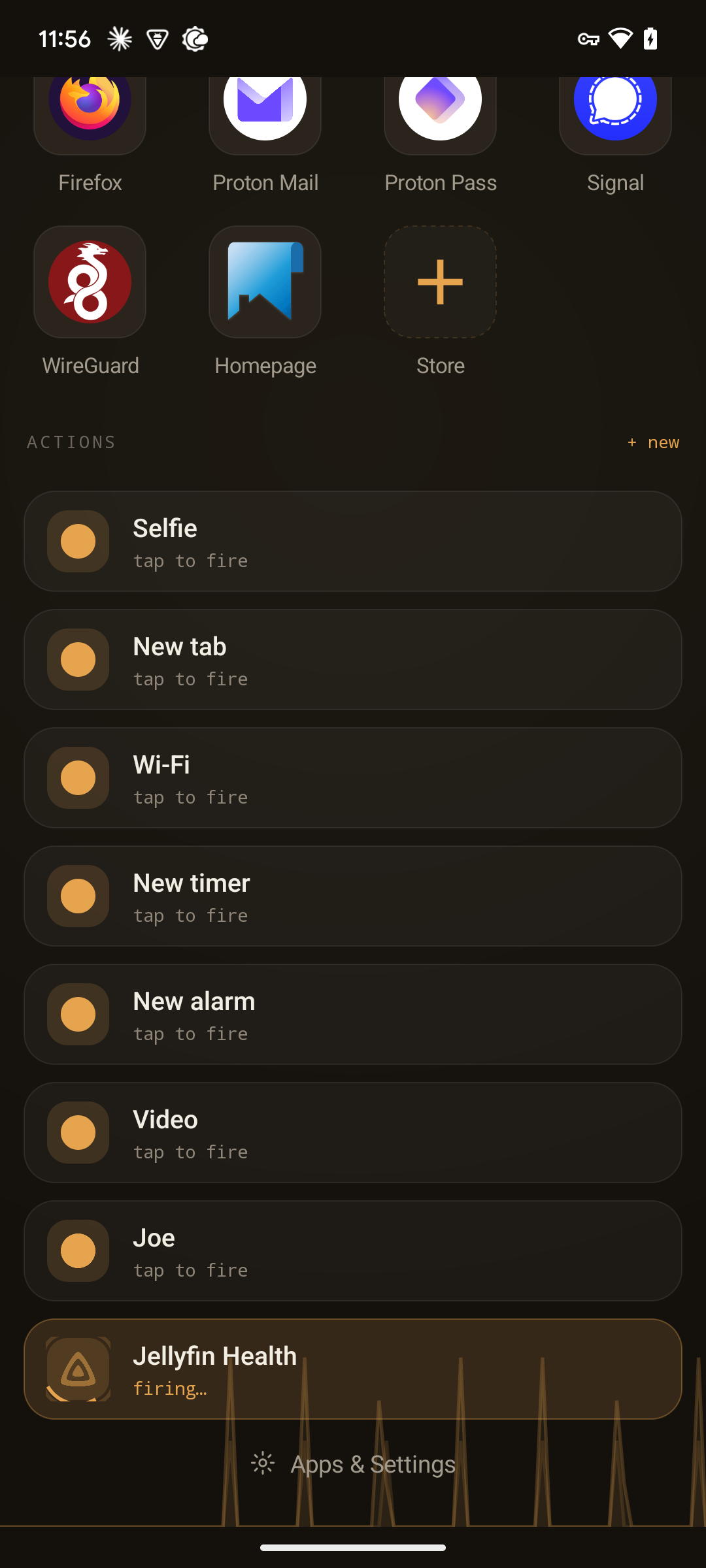
| State | On the tile |
|---|---|
| idle | Resting. |
| pending | A sweeping accent ring + "firing…" while the request is in flight. Further taps are ignored — no double-fire. |
| success | "done · 200 OK", briefly held, then decays back to idle. |
| queued | "accepted" — for durable-task endpoints that take the work and return. |
| error | Sticky. Tap to see why, then Re-fire or Dismiss. |
| timeout | After 8 seconds with no response, sticky. |
The health colors come from the fixed semantic ramp, not the themeable accent — success/queued Sage, timeout Amber, error Clay — so "failed" stays red even if you picked a red-ish accent. Success and queued decay on their own; error and timeout stay put until you acknowledge them.
The builder
HttpActionActivity is the builder — everything about a request in one focused screen:
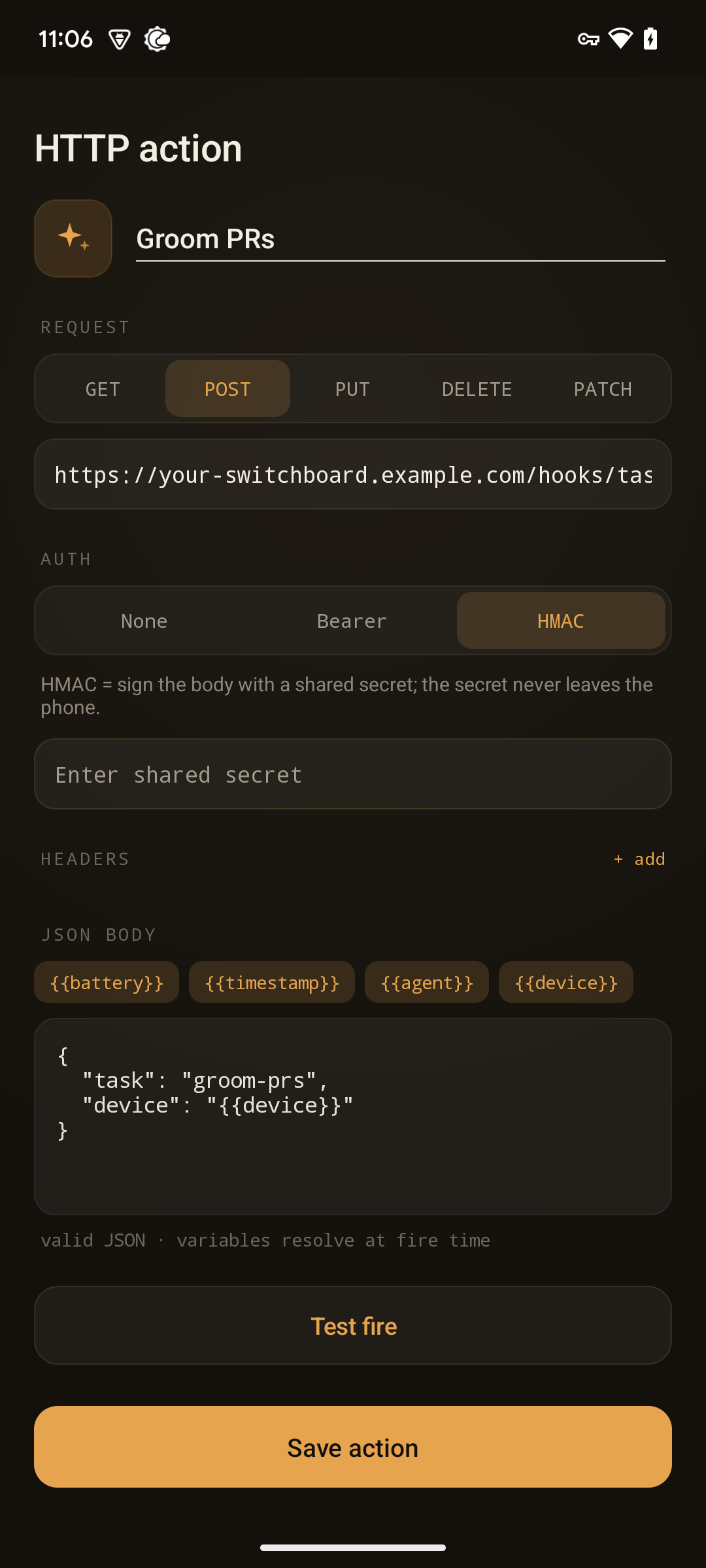
- A title and icon (the icon reuses the remote icon picker). Monochrome glyphs (Simple Icons, Heroicons) are tinted with your accent so they match the theme; full-color icons — app and shortcut launcher icons, selfh.st logos — keep their real colors.
- A method segmented control — GET, POST, PUT, DELETE, PATCH.
- A URL field — a bare hostname without a scheme defaults to
https://. - An auth selector that swaps its fields per scheme (below).
- Add / remove header rows.
- A JSON body editor with tappable variable chips and a live "valid JSON" check.
- Test fire — issues the real request off-thread and shows the real response (status + a truncated body) inline.
Variables
The body can carry {{var}} placeholders that Roost substitutes at fire time:
{{battery}}— current battery level{{timestamp}}— the moment of firing{{agent}}— the agent name{{device}}— the device identity
Tap a chip to insert one. Inserted {{var}} placeholders don't count against the JSON-validity check; if
the body is otherwise not valid JSON, the builder flags it and won't let you test-fire until it is.
Auth & secrets
Three auth schemes:
- None
- Bearer — an
Authorization: Bearer …token. - HMAC — the body is signed with a shared secret. Roost uses the platform's own
javax.crypto.Mac(HmacSHA256) — no third-party dependency, staying inside the framework-only rule.
Secrets are handled carefully. You enter them masked; they're stored in SharedPreferences and shown
afterward only as an obscured summary — •••• last4 — with a Replace affordance. A secret never appears
in a tile label, a request preview, a test-fire echo, or an error detail: the Authorization header and any
HMAC signature are redacted from everything Roost shows you.
Pick from my endpoints
You don't have to build every action from raw parts. The builder is reachable via a "Pick from my endpoints" picker that pre-fills it from a template:
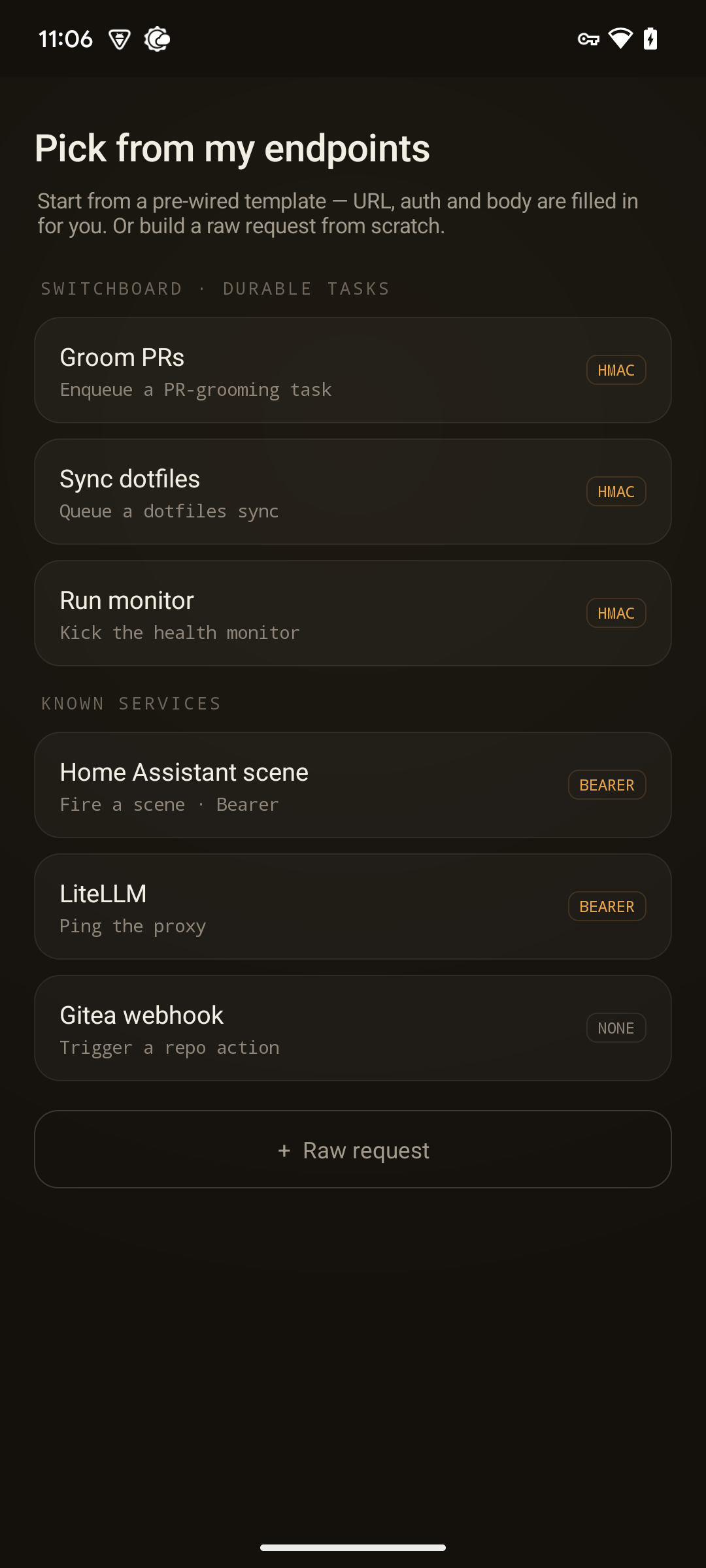
- Durable tasks — endpoints that accept work into a queue and return "accepted".
- Known services — pre-wired shapes for things like Home Assistant, a LiteLLM endpoint, or a Gitea
webhook (generic
example.comhosts you point at your own). - Raw request — start from a blank method/URL/body and wire it up yourself.
Pick a template and the builder opens pre-populated with its method, URL, auth, and body, ready to adjust and save.
Home Assistant scenes are just an HTTP action now
Firing a Home Assistant scene was always "POST some JSON to a URL with a bearer token" — so it's no longer special. A HASS scene is now one saved HTTP action, fired through the same client and the same on-tile state machine as everything else. The Home Assistant scene picker survives as an authoring path: it pre-fills the builder from your account and scenes. And any Home Assistant scene buttons you'd already enabled keep rendering and firing unchanged — nothing to migrate by hand.
Density
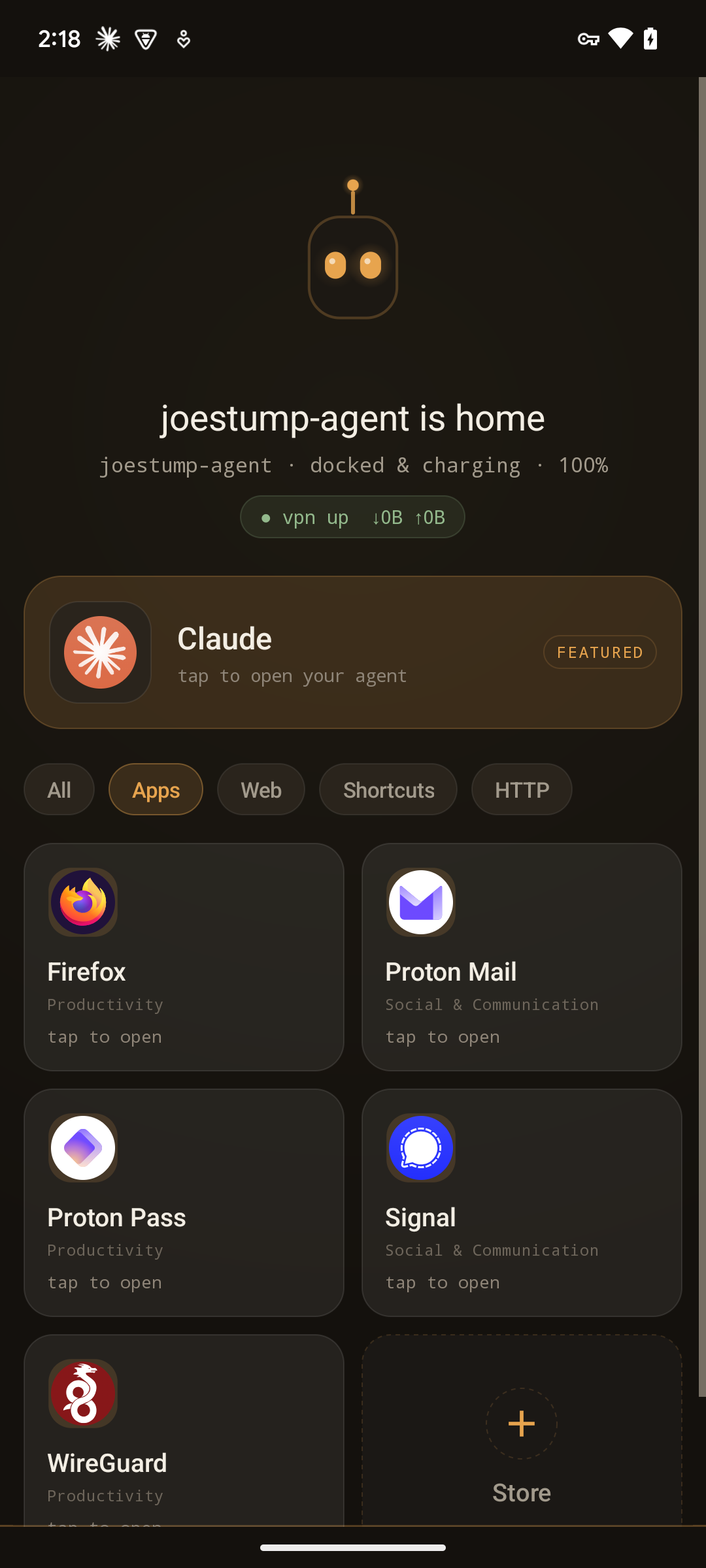
The whole home renders at one of three display densities, so a shelf of many tiles and a two-tile hero dock can each look right. Set it in Settings → Appearance ("Action density", default Regular) — it's home-wide, so apps, web apps, shortcuts, scenes, and HTTP actions all reshape together. All three share the same on-tile state machine (on fire tiles) and the fixed Sage/Amber/Clay ramp — only the layout changes.
Each tile also carries a per-kind subtitle so it reads at a glance: a web tile shows its host, an HTTP
tile METHOD · host, a shortcut "shortcut", an app its Play category ("Productivity", "Social &
Communication"). The idle→firing status line appears only on fire tiles (HTTP actions and Home Assistant
scenes); launch tiles (apps, web, shortcuts) show their action verb ("tap to open") instead — never a firing
state.
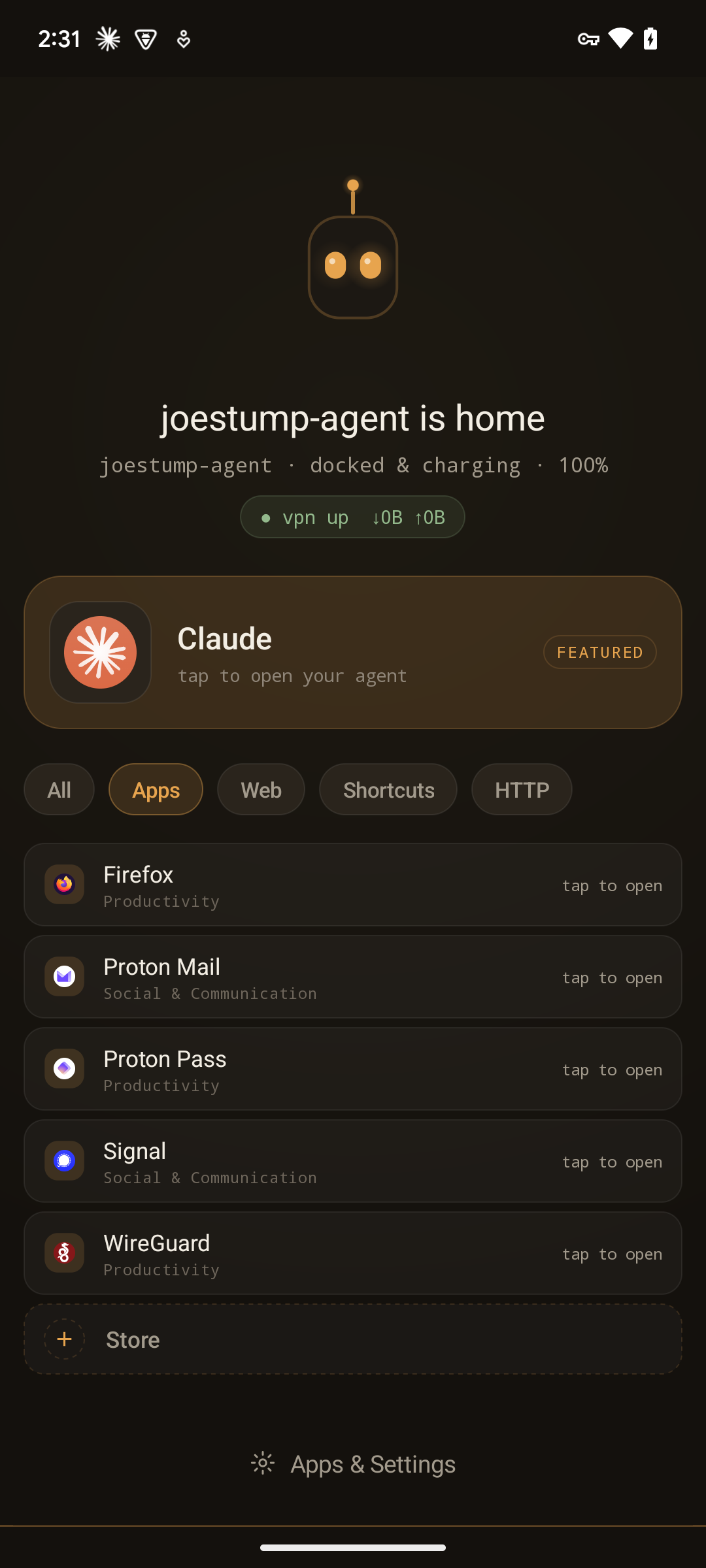
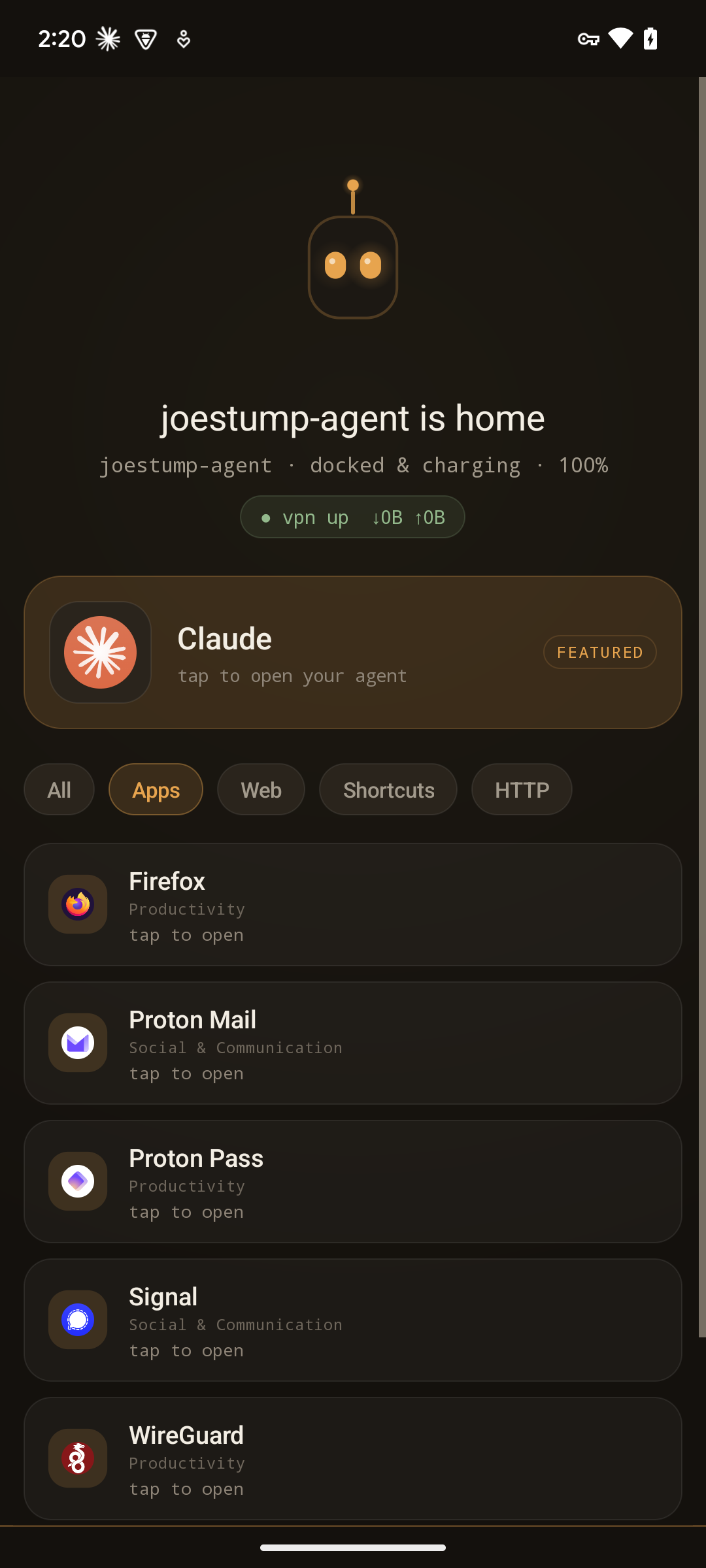
- Slim — a dense list of compact cards: a small disc + label + subtitle with a terse right-aligned line —
the action verb on launch tiles (
tap to open), the fire state on HTTP/scene tiles (ready/firing…/200 OK/502). The most tiles in the least height — best for a busy home. - Regular (the default) — a card per tile: disc + label + the per-kind tagline, with a full status line
beneath fire tiles and a
tasktag on durable-task actions. The balanced middle. - Rich — a two-column card grid: a big disc, label, the per-kind tagline (
METHOD · hostfor HTTP, the host for web, "shortcut" for a shortcut), and the fire status. The icon sits left-justified with the card's text, with balanced top and bottom padding. Legible across a dim room — best for a short, hero-style home on a docked idle face.
Framework-only, of course
No libraries were added for any of this. The animated disc is a Canvas view on a Handler tick;
networking is HttpURLConnection + org.json off the main thread; HMAC is javax.crypto.Mac from the
platform. See How it works for the files, and
ADR-0001
for the constraint.