Roost
A dedicated device for your AI agent — a tiny, vendor-neutral Android launcher that turns a spare phone into a little home for one agent.
Roost boots straight into your agent app (Claude, ChatGPT, Gemini, a local model — whatever you pick) but keeps a short list of utility apps one tap away, because a hard single-app kiosk can't hop to your VPN client when you need to bring a tunnel up.
It's a few thousand lines of pure Android framework Kotlin — no AndroidX, no Compose, no Material, no raster assets, no bundled fonts. Deliberately hackable.
The idea
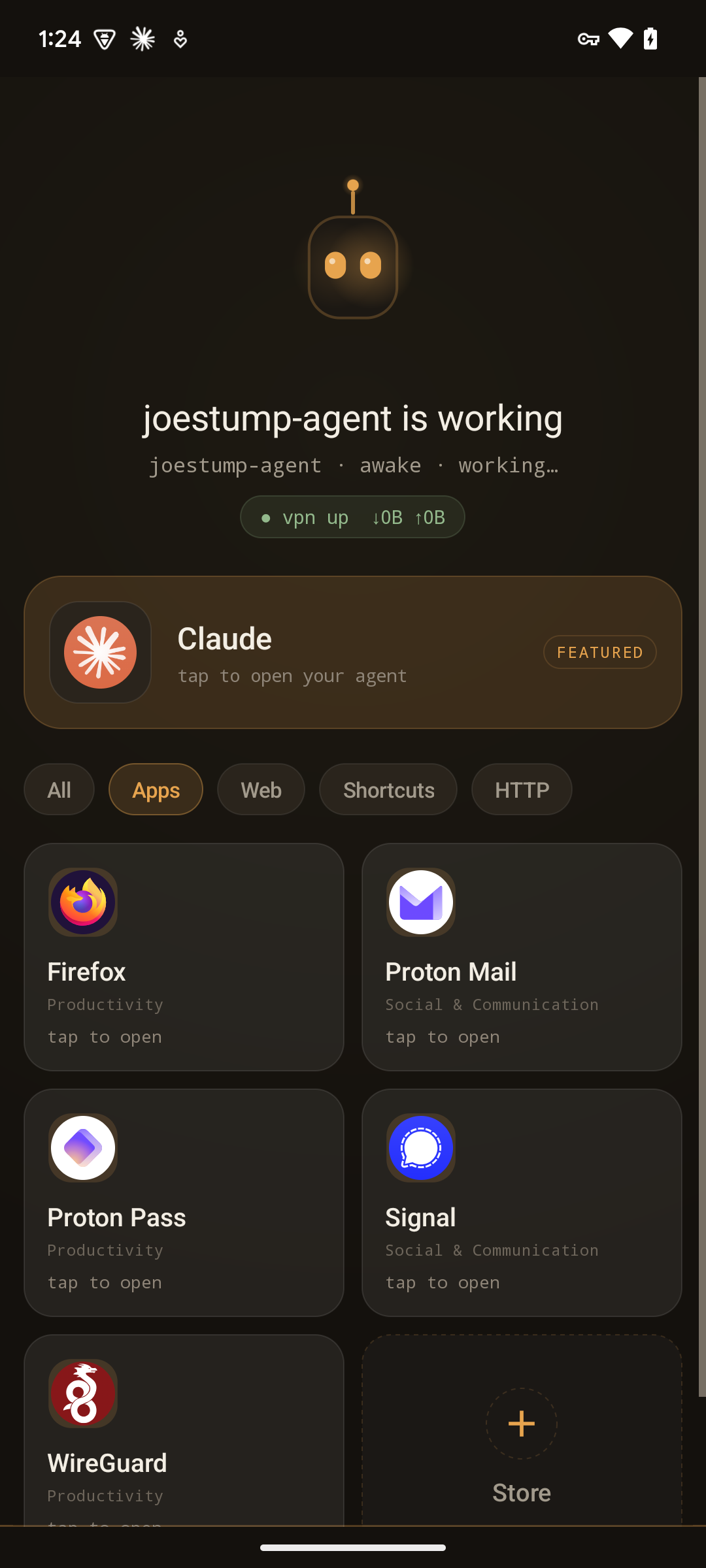
A phone that isn't yours — it's the agent's. Its own login, its own VPN tunnel, its own mail and password accounts. Roost gives that phone an identity: a little LED-eyed robot that "lives" on the device, a greeting, and a dock-dark home screen that reads as the agent's home, not any one vendor's.
Vendor-neutral by design
The featured agent is a full-width hero card that renders the installed agent app's own icon and name at runtime, so the model's branding comes for free while Roost's own identity stands on its own. Point it at any agent app in Settings.
What it does
- Boots into your agent on power-up.
- Curated home: a robot mascot with a live greeting, a Sage-green VPN chip showing live ↓/↑ rates, an accent-tinted full-width hero card for the featured agent, then one uniform grid of tiles — favorite apps, web apps, app shortcuts, Home Assistant scenes, and HTTP actions all render as the same tile, with a filter chip row to narrow by kind and a per-kind tagline on each.
- HTTP Action tiles: a home tile that fires a user-defined HTTP request (method, URL, headers, an auth
scheme, and a
{{var}}JSON body) and tells you how it went right on the tile — firing → done / accepted / error. Read more. - Synced Actions: an agent can provision action buttons by dropping
actions.d/*.jsonfiles into a folder that syncs to the phone — write a file, the button appears. Read more. - One tile density for the whole home: every tile reshapes together between a slim list, regular cards, and a rich two-column grid — set in Settings → Appearance.
- Filter by kind: a chip row on the home (
Allplus one chip per kind present — Apps / Web / Shortcuts / HTTP / Scenes) narrows the tiles; choose which chips appear under Settings → Appearance. - Appliance mode: an ambient "at rest" face; long-press reveals the grid.
- Redesigned Settings: a calm landing that drills into per-category screens, with searchable app pickers for the featured agent and Favorites. Read more.
- Themeable accent (Honey / Slate / Sage / Violet), keep-screen-on, and a matching wallpaper so Recents and app transitions stay on-theme.