Maintaining the setup
Everything below follows the same shape: edit the source in the workbench, test
it with a scoped apply, merge, then czu. If you haven't read
Editing yet, start there — the two-checkout model is what makes the
commands on this page different from the ones in chezmoi's own documentation.
cd ~/src/dotfiles && git fetch origin && git switch -c feat/thing origin/main
# …edit…
chezmoi apply --source ~/src/dotfiles <target>   # try it here, before merging
bats test/
git commit -am "feat: thing" && git push -u origin HEAD   # PR → merge → czu
Add a shell helper
One function per file — Oh My Zsh auto-sources everything in custom/, so there
are no source lines to add.
$EDITOR ~/src/dotfiles/dot_oh-my-zsh/custom/my-helper.zsh
chezmoi apply --source ~/src/dotfiles ~/.oh-my-zsh/custom/my-helper.zsh
Add a case to test/helpers.bats while you're there — CI runs it.
Add a secret
vault kv put secret/users/<you>/myservice MY_TOKEN=…
vault-agent restart && exec zsh        # auto-discovered, no template edits
Add a tool
$EDITOR ~/src/dotfiles/dot_Brewfile                         # macOS
$EDITOR ~/src/dotfiles/dot_config/dotfiles/apt-packages.txt # Linux
$EDITOR ~/src/dotfiles/dot_config/dotfiles/go-tools.txt     # Go
The installer is run_onchange_, so it re-fires on the first czu after the
manifest's hash changes. Details: Packages.
Add an SSH host
~/.ssh/config is generated from the ssh: block in .chezmoidata.yaml — don't
hand-edit the rendered file, it gets overwritten on the next apply.
A node behind the dagda bastion is one line; it inherits the shared ProxyJump /
IdentityFile / StrictHostKeyChecking set:
ssh:
  jump:
    hosts:
      - "192.168.100.221"    # ← new node, nothing else to write
Anything else is a {patterns, options} pair, where options is any set of ssh
keywords (a list value repeats the keyword, e.g. two IdentityFile lines):
ssh:
  hosts:
    - patterns: ["buildbox", "buildbox.stump.rocks"]
      options:
        HostName: "10.0.0.9"
        User: "joestump"
Then chezmoi apply --source ~/src/dotfiles ~/.ssh/config && ssh -G <host> to
confirm what ssh actually resolves.
Order is load-bearing: ssh is first-match-wins per keyword, and the template emits
ssh.hosts → ssh.jump.hosts → ssh.multiplex. So an entry in ssh.hosts always
beats the shared groups below it — that's how you special-case one node without
splitting a group apart. Quote your values ("yes", "443"): bare yes is a YAML
boolean and would render as true, which ssh rejects.
Per-machine overrides go in that box's ~/.config/chezmoi/chezmoi.toml under
[data.ssh], same as [data.claude]. Maps deep-merge, lists replace — so this
repoints the bastion on one box while keeping the shared IdentityFile /
IdentitiesOnly / StrictHostKeyChecking:
[data.ssh.jump.options]
  ProxyJump = "root@other.bastion"
whereas setting [data.ssh.jump] hosts = [...] replaces the host list outright
rather than appending to it.
Add a Claude MCP server or plugin
Edit dot_config/dotfiles/mcp-servers.json (+ its OpenBao secret) or
claude-plugins.tsv.tmpl, then apply. Full reference:
MCP servers · Plugins.
Crush has its own MCP block in crush.json and discovers skills through
skills-ext/, so adding a Claude plugin does not give it to Crush — see
Crush.
Add or change a supervised agent
Declare it in dot_config/harness/harness.toml.tmpl. Not in the harness TUI —
its new-harness form rewrites the file wholesale and czu reverts it on the next
run. See Harness.
Change an agent rule
Rules live in .chezmoitemplates/agents/. A rule that applies to every agent goes
in base.md; only a genuine capability difference belongs in a harness-*.md
overlay. Writing it inline in CLAUDE.md.tmpl or CRUSH.md.tmpl silently applies
it to that harness alone — see Agent rules & identity.
Link Signal on a new node
chezmoi apply installs everything, but the device link is interactive:
signal-link # scan the QR from Signal → Linked Devices
Details (daemon control, troubleshooting): Signal.
Add a prompt glyph
Edit PROMPT_GLYPHS in dot_zshrc — the pool the spaceship prompt re-rolls
from on every shell. They're Nerd Font private-use codepoints, so they're
awkward to type directly; use the escape form instead, e.g. $'\uf004'.
Search ~/src with qmd
Each top-level repo under ~/src is indexed into its own qmd collection, so
agents can qmd query -c <repo> per project. Re-index any time with dot →
🔎, or check the index from status. It also re-indexes daily on its own —
full detail on Services.
Update everything
💡 One step:
czu. It syncs the production clone toorigin/main, re-asserts any target an app has rewritten, applies, restarts the Vault Agent so secrets re-render now rather than in ~5 min, andexec zshso the new config and secrets take effect. Extra args pass straight through, soczu --refresh-externalsalso re-pulls themes, plugins, marketplaces and the Crush/harness source clones.Installing a fresh spoke instead?
czinit <host>does the whole thing over SSH — see Install a Spoke.
czualso runs on its own, every 6 hours — every box stays current without you typing anything. It's silent on success; a failed scheduled run sends one Signal note-to-self (not one per retry), and another once it recovers. See Services.
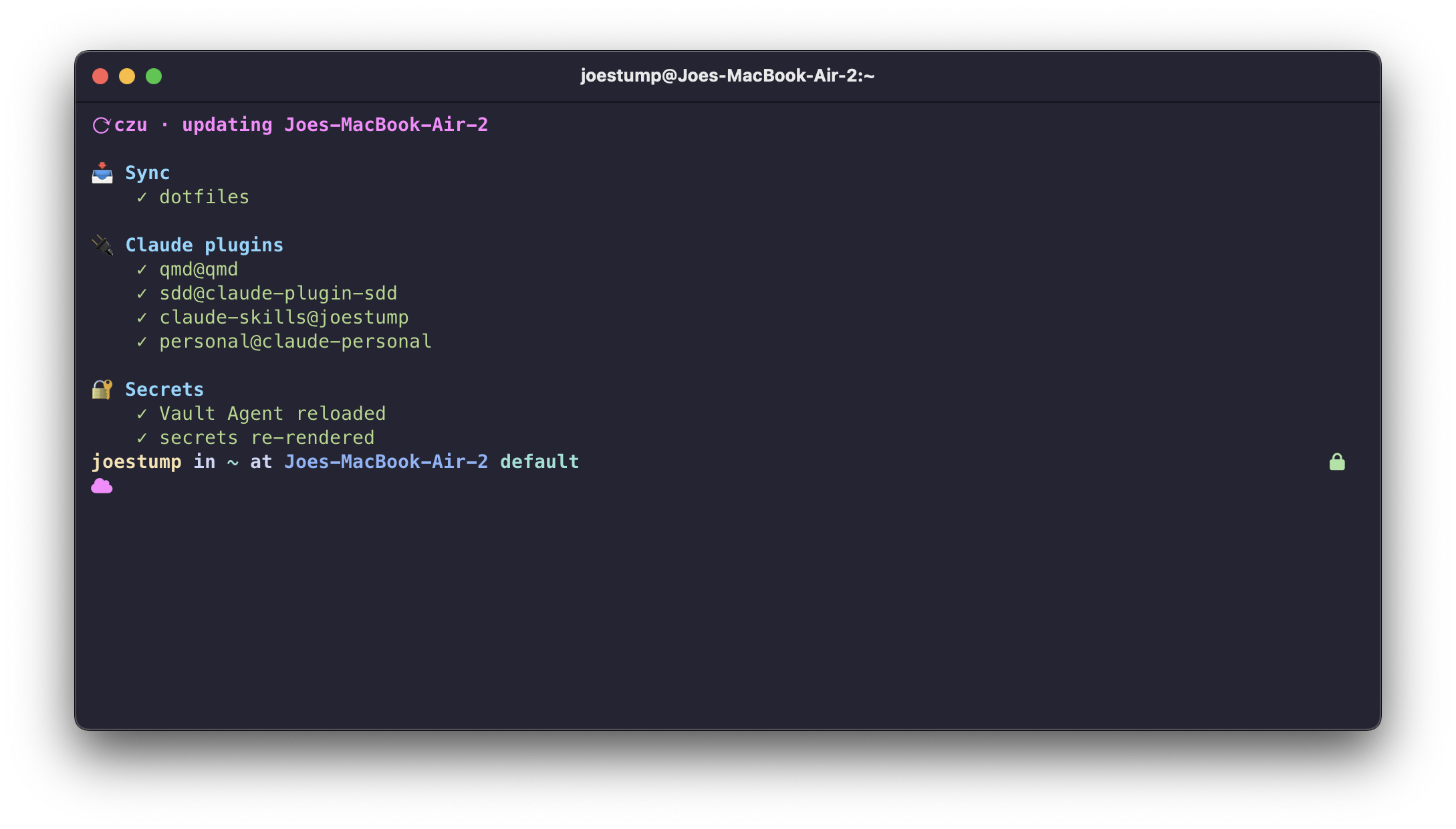
What czu actually does
- Sync — fast-forwards the production clone (
~/.local/share/chezmoi) ontoorigin/main, refusing to proceed if it's dirty, parked or ahead. A missing clone is created; no network degrades to "apply what we have" rather than failing. - Source the environment — reads
secrets-static.envandenv.zsh, so templates that derive values (Crush's providers, for one) render populated even when the apply runs outside a login shell. - Re-assert — force-applies the handful of targets an application also
writes (
crush.json,harness.toml,~/.gitconfig) before the main apply, so chezmoi's changed-since-last-write guard never prompts and never silently skips them. - Apply —
chezmoi apply --source <production>. - Secrets —
vault-agent restart.
Running a piece by hand is fine, but note that plain chezmoi update operates on
production and skips steps 2 and 3 — so prefer czu unless you're debugging
one specific stage.
Claude plugins update themselves — the run_after_ script reinstalls the
local-path marketplace and updates remotes on every apply. There's no bulk
claude plugin update; to force one by hand it's
claude plugin update <plugin>@<marketplace> (e.g. qmd@qmd). See
Plugins.
CI
Three Gitea Actions workflows gate main:
| Workflow | Jobs |
|---|---|
ci.yml | bats — the full BATS suite. lint — ShellCheck on plain scripts and on rendered *.sh.tmpl, zsh -n on the shell config, plus JSON, TOML and yamllint validation |
gitleaks.yaml | A verbose git-history secret scan via the shared stumpcloud/gitleaks-action, using this repo's .gitleaks.toml |
aibot.yml | The AI review bot on pull requests |
Run the same suite locally:
bats test/
Shellcheck is worth calling out: CI's apt build is older than a Homebrew one and
disagrees on some info/style checks, so a clean local run isn't proof. If CI
flags something you can't reproduce, run shellcheck --enable=all locally.
This docs site ships from a separate pages workflow. It builds once and
deploys twice — to Garage Pages
(canonical) from Gitea, and to the GitHub Pages
mirror from .github/workflows/pages.yml,
which sets SITE_URL to re-point the canonical URL. Only the host differs; the
content is one source.